




If you're like most people, you move between your phone, tablet, and PC multiple times a day and you expect your data to follow you wherever you go. In 2015, Microsoft announced they'd be releasing a Phone Companion app to allow users to enjoy their Windows experience and content when away from their Windows 10 PC. Phone Companion was discontinued in 2018 in favor of Your Phone, but read on to learn about this legacy app.
About the Legacy Phone Companion App for Windows 10
The Phone Companion app was built into Windows 10 to help people experience a smooth transition as they moved from one device to the next and was designed to connect your Windows 10 PC to whatever phone you owned— regardless of whether it was a Windows phone, Android, or iPhone.
How did it work?
When you first launched the Phone Companion app on your PC, you'd choose which type of phone you owned in order to complete the setup process. If you had a Windows phone, there were no extra steps needed to set up the Phone Companion app. If you had an Android phone or an iPhone, you'd have to follow a few simple steps in order to get all your apps to work (and play) nicely together.
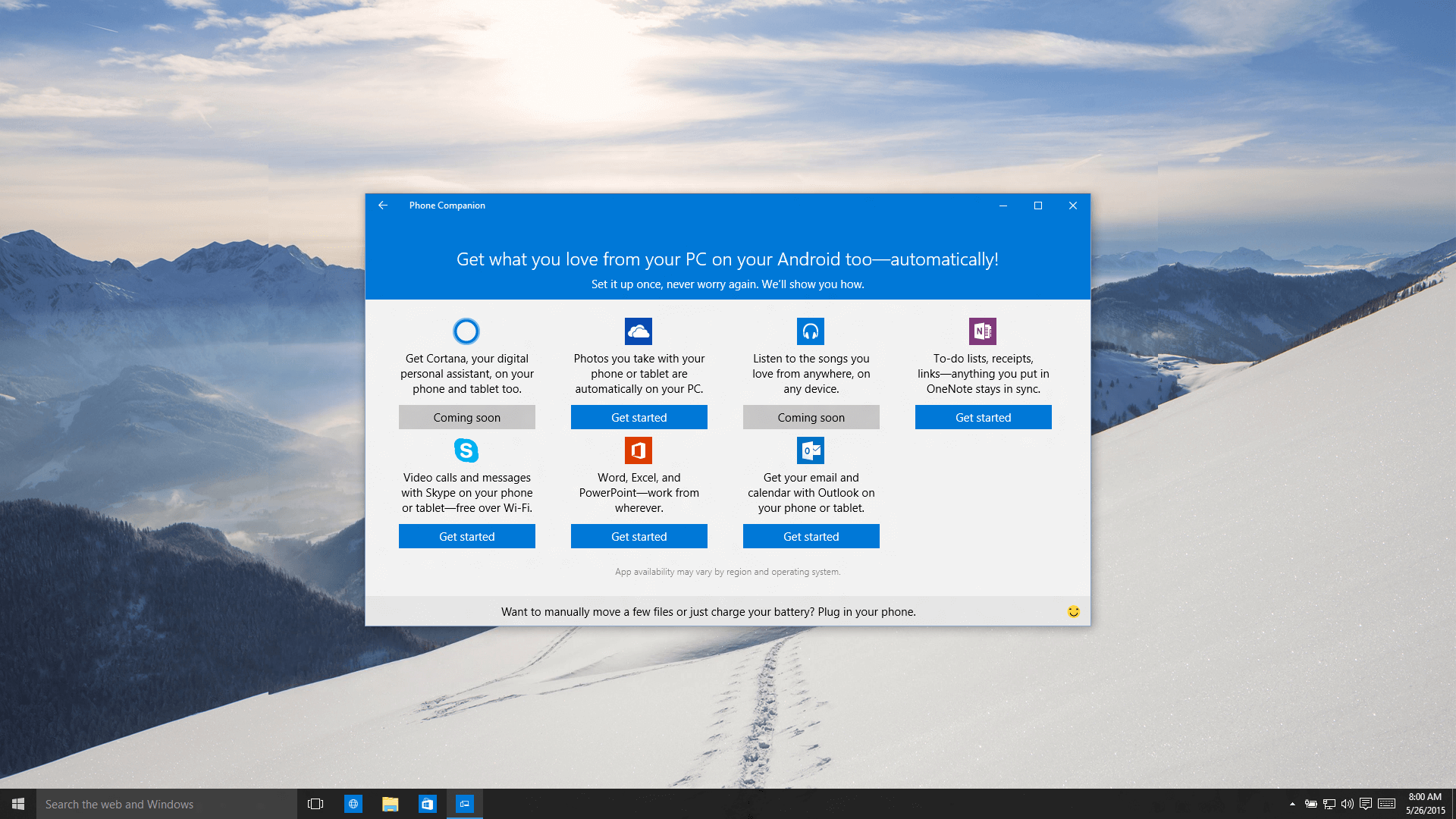
Once connected, all your content and files would be available on both your PC and your phone. For example, once the OneDrive app was set up on your phone, every picture you took would automatically show up in the Photos app on your Windows 10 PC. Any notes you wrote in OneNote on your PC would show up on your phone and any notes you edited from your phone would be synced to your PC. Finally, the Phone Companion app made it easy to work on any of your Microsoft Office documents from any device, without having to move files around.
Cortana
Microsoft's digital assistant, Cortana, is heavily integrated into Windows as well as the web browser Microsoft Edge. In an attempt to extend Cortana's reach to those that didn't have a Windows phone, Microsoft released a Cortana app for iPhones and Android phones. The app was meant to work as a companion to Cortana on Windows 10 PCs and could be installed with the help of the Phone Companion app.
While Cortana continues to be a powerful productivity assistant on PC, it just didn't gain enough traction as a mobile app, and Microsoft discontinued the app in 2021.
What's next?
If you are curious about what to expect from Microsoft in the future, you can join the Windows Insider Program to toy around with the latest updates, as well as give Microsoft feedback on how you think their platforms could be improved.
Want more tips?
If your team is having issues with how to get your devices talking to one another, Ripple can help you as your managed IT provider. If you want to learn more about how Ripple can simplify your IT experience, reach out to our team for a 30-minute consult!


